How a job works
These are example screens from a test job. They show the order a job follows on The WasteGame. Free for customers to post a job.
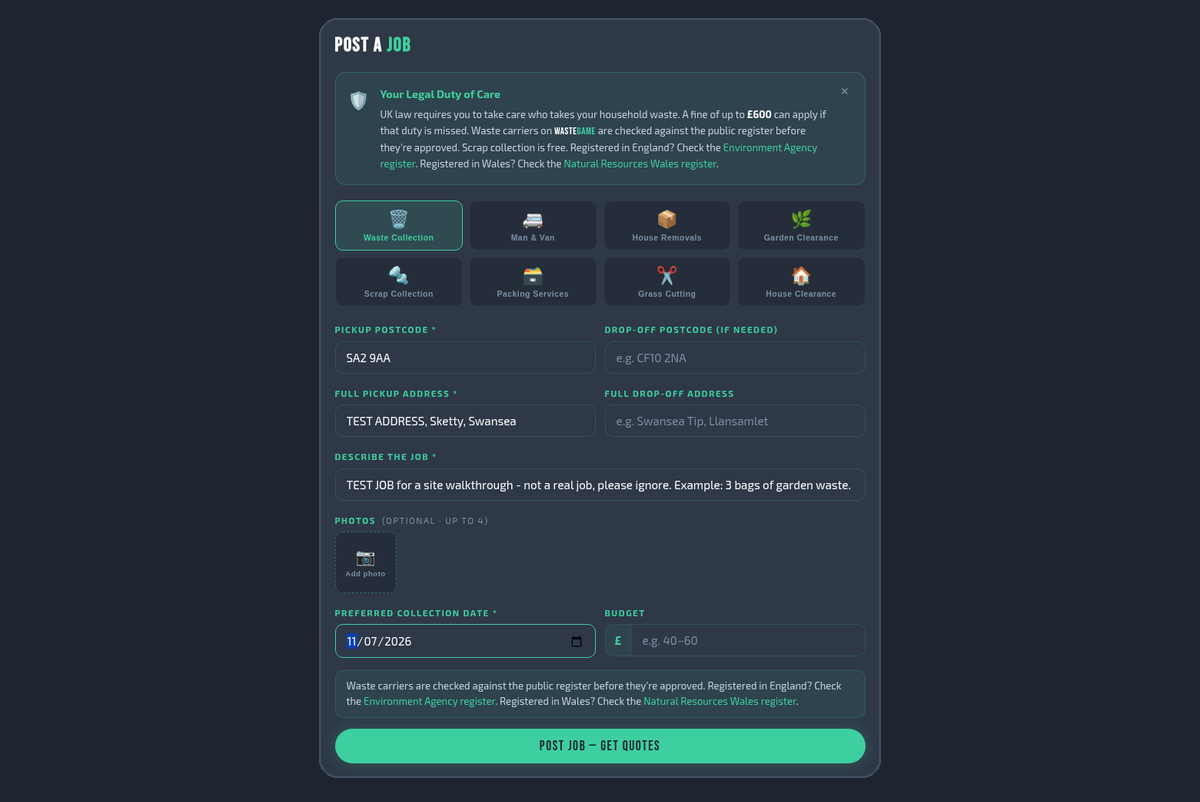
1. Customer posts a job (free).
Test Customer Sketty picks a service and adds the postcode, a description and a date.
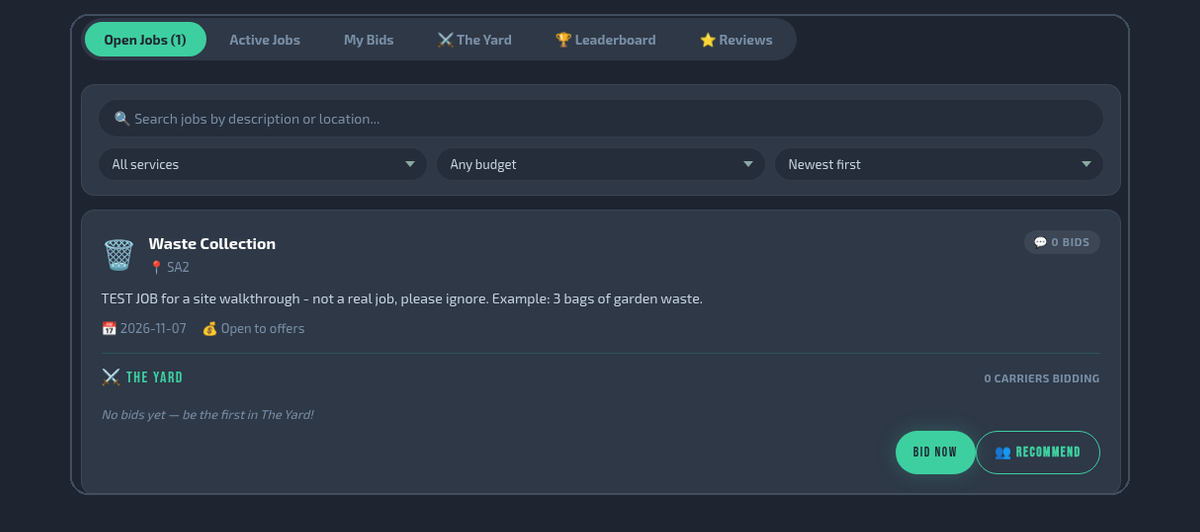
2. Carriers in the area see it.
Bay Test Clearances sees the new job under Open Jobs and can tap Bid Now.
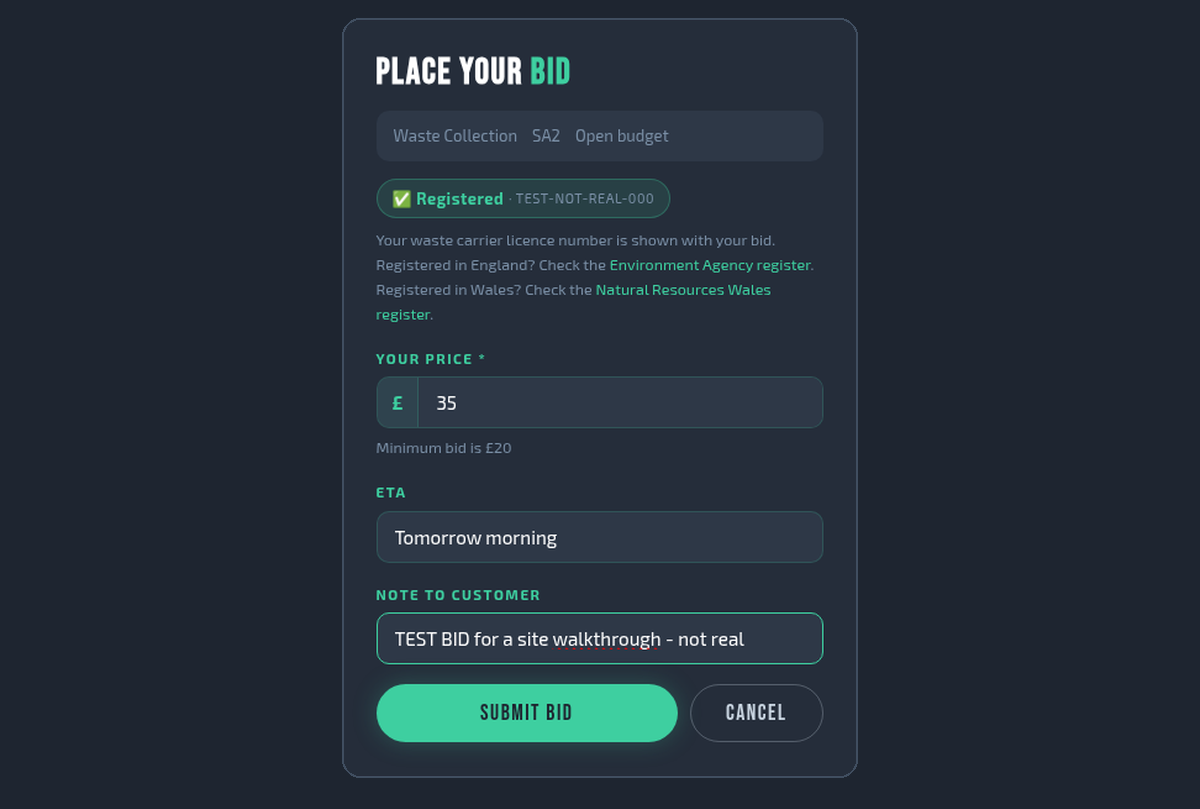
3. A carrier sends a price (bid).
Bay Test Clearances offers £35 with an ETA and a short note.
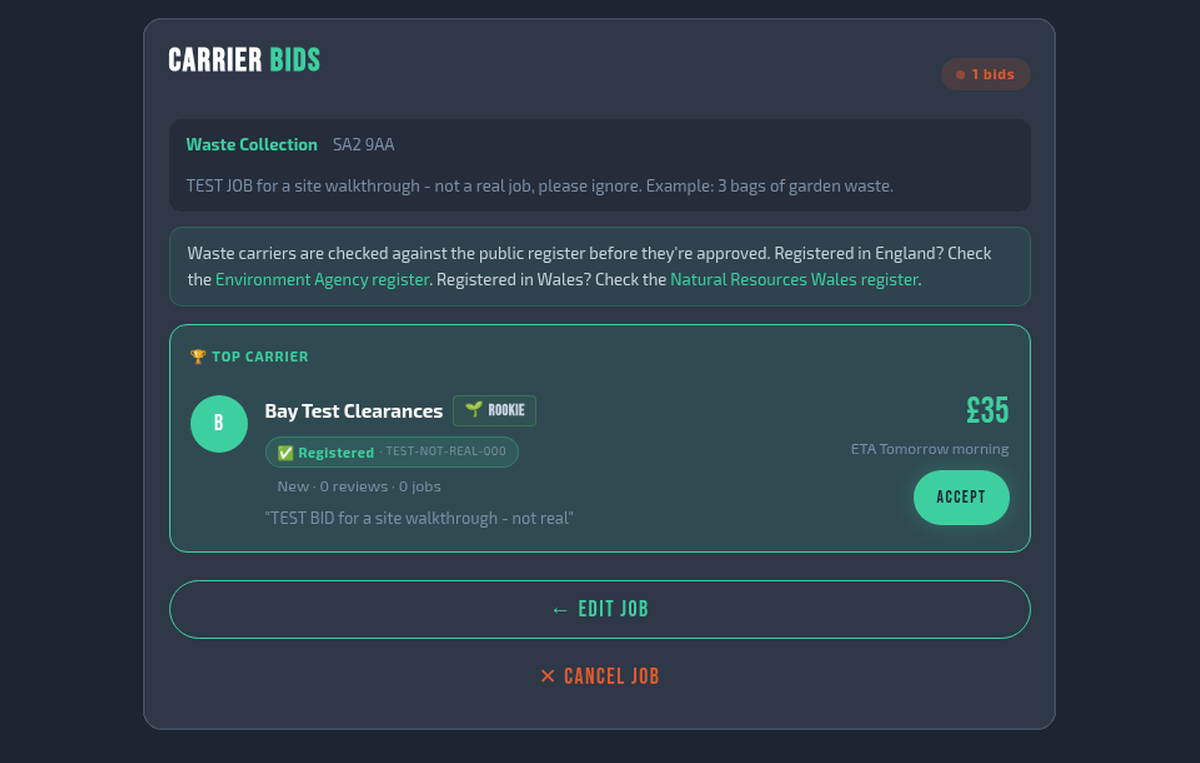
4. Customer picks a bid and accepts.
The bid shows the price, the ETA and the carrier’s details.
5. Track the job live.
Status steps update as the job moves along, and the customer and carrier can message.
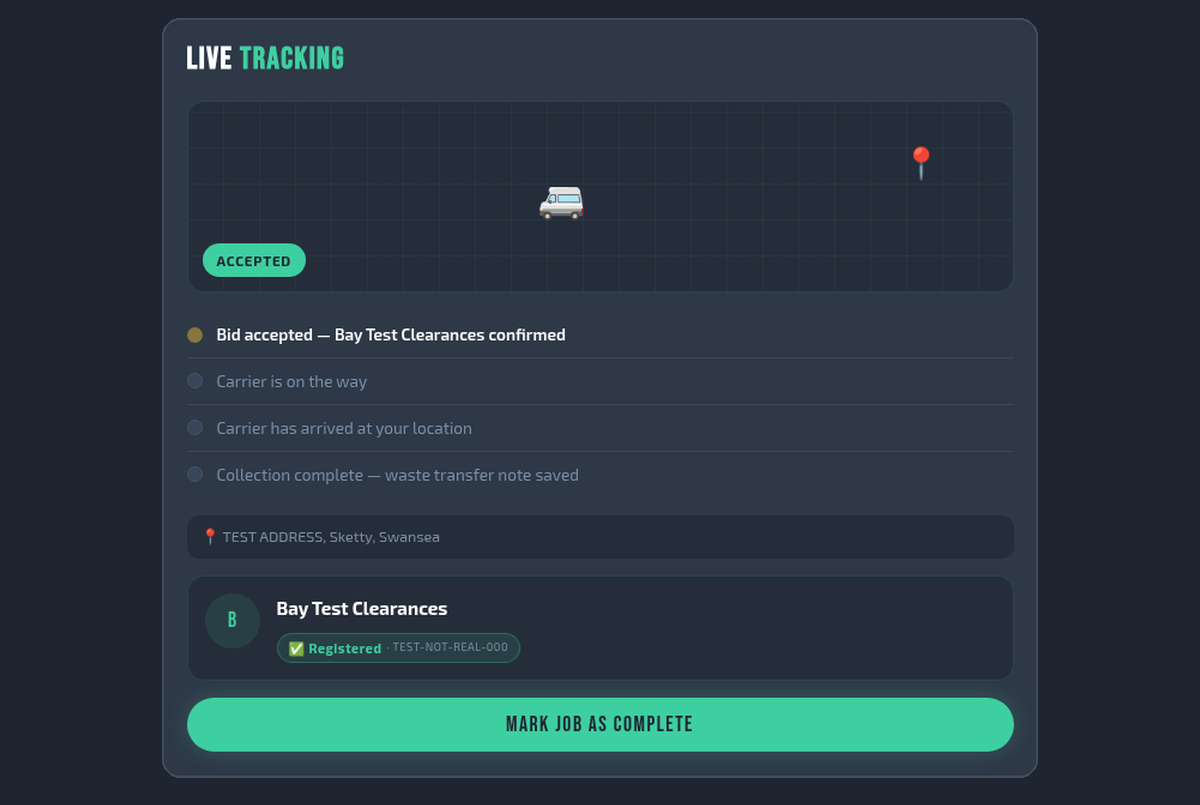
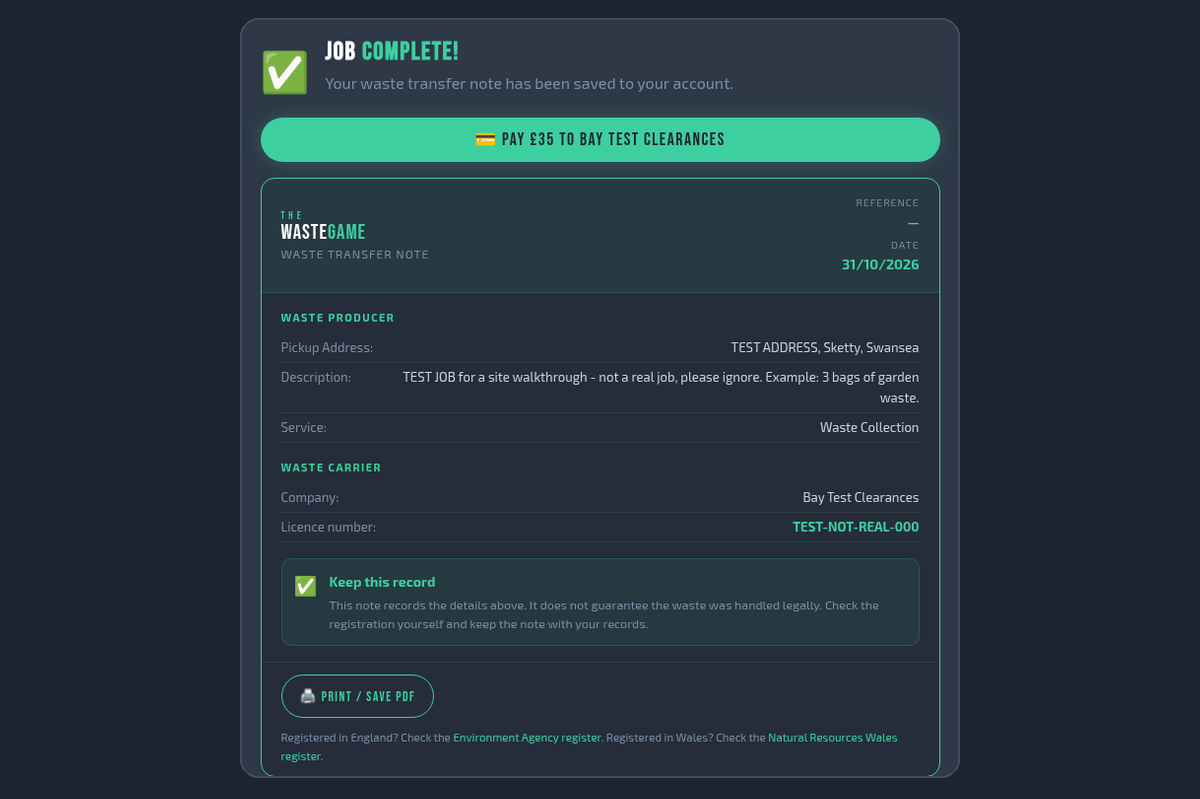
6. Job complete: waste transfer note saved.
A waste transfer note is saved to the customer’s account and can be printed.
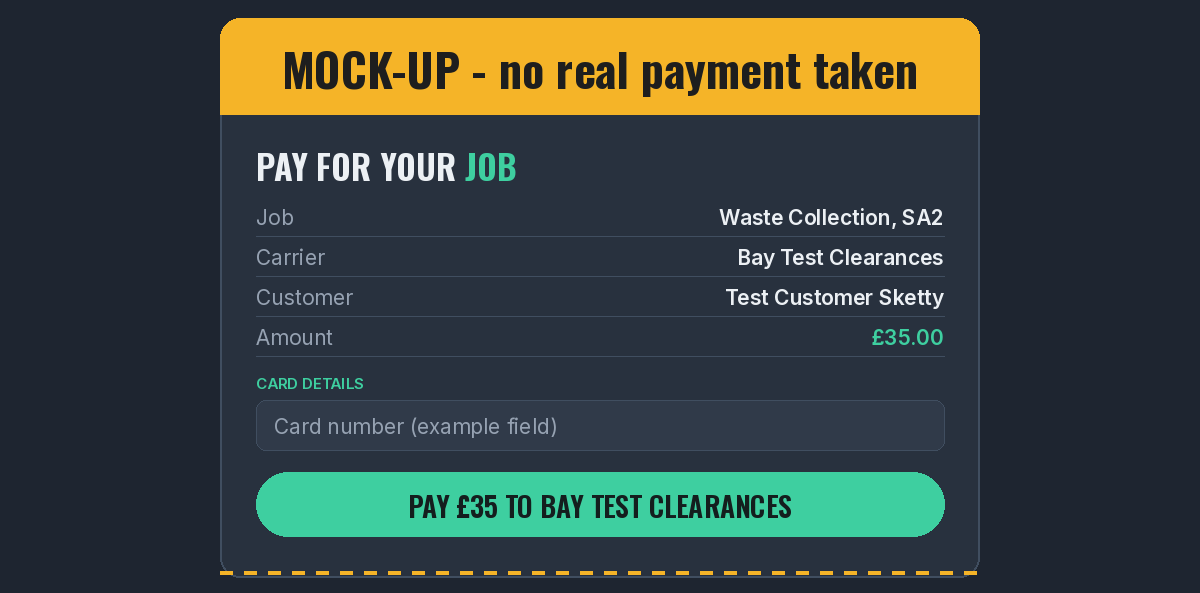
7. Payment (mock-up).
Example only: this panel is a mock-up showing where payment would happen. Mock-up. No real payment taken.
Test accounts and test job. Example screens only.
Licence number shown is a test placeholder.